My first task: a "Leave feedback" button that turned into a full-stack feature
On my first day at an insurance company, I was asked to "edit the feedback form." It grew into a feature that touched everything — a floating button on the homepage, a pop-up form, and a change deep in the database so the support team could call users back instead of emailing them.
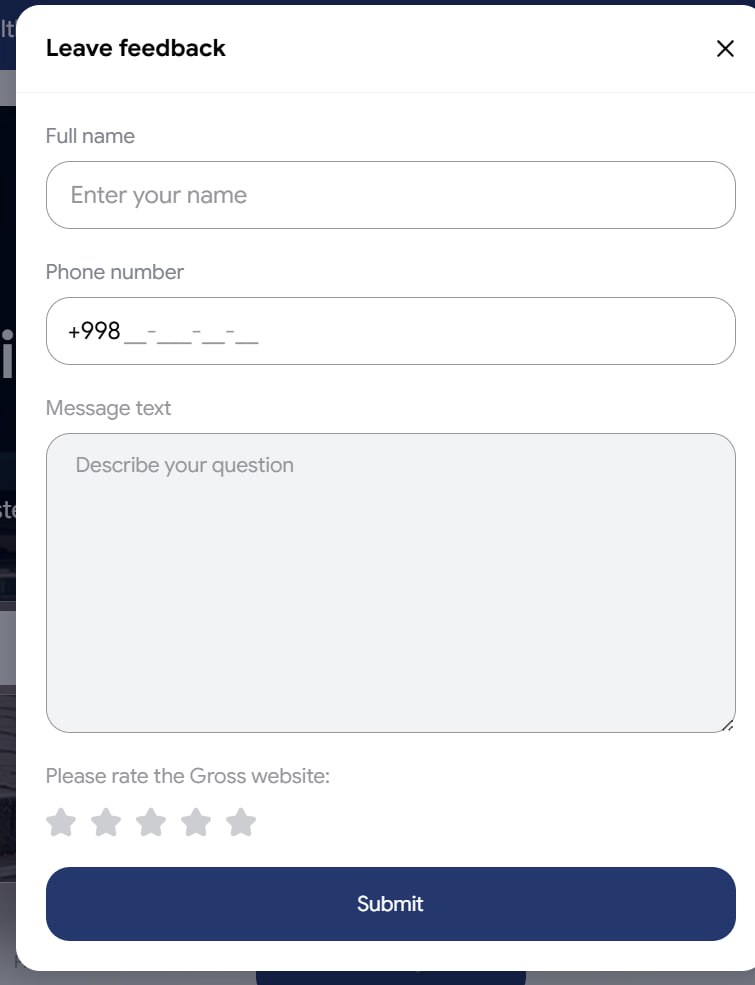
On my very first day at Gross, an insurance company, I got what sounded like a small task: "edit the feedback form." By the time I finished, it had touched the whole product — from a button people click on the homepage all the way down to the database. It turned out to be the perfect way to learn how everything fits together.
The task, in plain terms
Gross wanted an easy way for visitors to leave feedback about the website. My job was to build that: a way to open a feedback form, fill it in, and send it — in all three of the site's languages (English, Russian, and Uzbek).
What started as "tidy up a form" quickly became a bigger, more useful question: were we even asking people for the right thing?
What I built first: the button and the pop-up
I started with the part people actually see. On the homepage I added a small floating "Leave feedback" button that stays in the corner. Clicking it opens a pop-up window with the feedback form inside.
A few details I cared about:
- It speaks all three languages. Every label switches instantly when the visitor changes the site's language — even while the pop-up is open.
- It feels right on a phone. On mobile, instead of a small box in the middle of the screen, the form slides up from the bottom like the apps people are used to.
- It confirms it worked. After sending, the form is replaced by a friendly "thank you" message, so people know their feedback went through.
The real fix: ask for a phone number, not an email
Here's the part I'm most proud of, because it wasn't about code — it was about noticing something.
The old form asked people for their email address. But when I looked at how the support team actually works, they call people back. An email address was the wrong thing to collect. So I changed the form to ask for a phone number instead.
That sounds simple, but it meant changing things all the way through:
- On the form, I swapped the email box for a phone-number box that guides people to type it in the correct local format.
- On the server, I taught the system to expect and check a phone number instead of an email.
- In the database, I added a new place to store the phone number — carefully, so that none of the old feedback already saved was touched or lost.
This was also my first time working on the back end — the behind-the-scenes part written in a different language (PHP) — not just the part you see on screen. Getting one small feature to work across both sides taught me more in a week than reading the code ever could.
Knowing which page the feedback came from
There was one more layer to get right. The same feedback button appears on many pages — including each of the site's insurance calculators. When someone leaves feedback, the team needs to know what it's actually about: the site in general, or one specific calculator.
So I made the form detect where it is before sending:
- On a normal page, the feedback is tagged as general website feedback.
- On a calculator page, it's tagged with that exact calculator instead (for example, the car-insurance calculator).
- The rating question adapts too — on a calculator page it asks how that calculator was, not the site as a whole.
That label travels with the message all the way to the team's Telegram notification and admin panel, so the moment feedback arrives they can see exactly which part of the product it's about — no guessing. To store this properly, I also added a new field on the back end to record the feedback's category.
What I took away from it
- A small task can be a whole feature. The valuable version of "edit the form" wasn't making it prettier — it was making it collect information the team can actually use.
- Reuse what already works. The site already had a trusted phone-number box on another form, so I used the same one. Less to build, fewer mistakes.
- Be careful with real data. People's feedback was already saved, so I made the change in a way that added to it without ever risking what was there.